Structure the analysis
Work from system context through threats and risk treatment.
PRODUCT CYBERSECURITY, CONNECTED
A dedicated workbench for engineers and small teams. Bring system architecture, threats, risk assessment and cybersecurity requirements into one traceable analysis.
Start with Studio. Windows desktop work. Optional AI assistance.
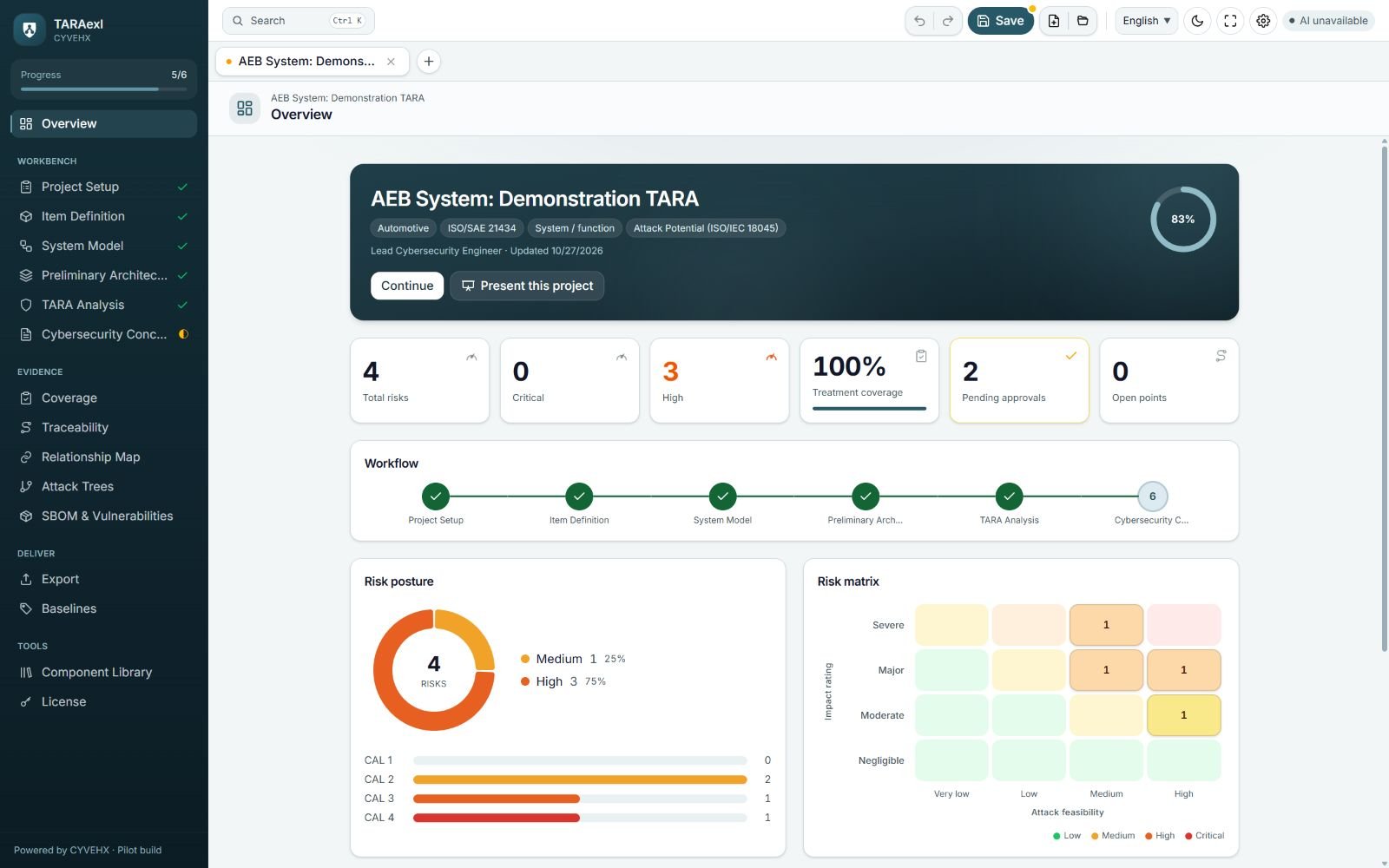
The analysis, with its context.
Actual Studio interface · illustrative project data.
Work from system context through threats and risk treatment.
Keep related work products and decisions traceable.
Use baselines, reports and exchange files for the next handoff.
FOLLOW THE ENGINEERING
See how TARAexl connects system interfaces, threat scenarios, risk decisions and requirements. Follow the workflow, then request a demo version to try it with an agreed evaluation scope.
01 / SYSTEM CONTEXT
Model components and interfaces, define the analysis boundary, and identify the assets that need protection. Keep this context connected to later risk decisions.
Which interfaces could affect the function under analysis?
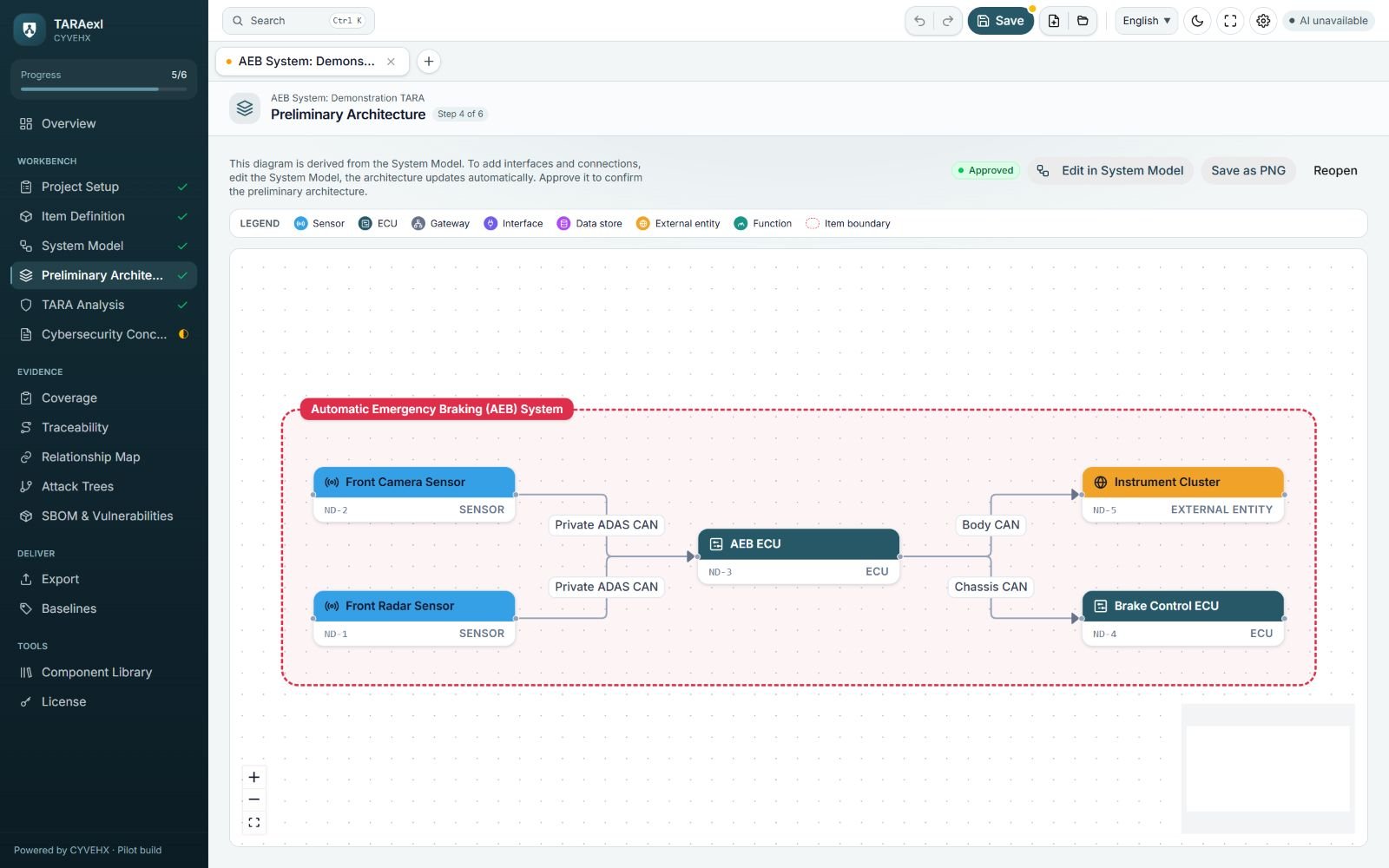
Screens captured from Studio 0.1.64 in browser preview. AI was not connected during these captures. The example illustrates the workflow; it is not a validated vehicle safety or security assessment.
WORK THAT CAN BE REVIEWED
Prepare work for the people who need to review, implement or maintain it. Keep the scope, reasoning and relationships attached to the engineering decisions.
Explore Studio capabilitiesInspect the structure of a cybersecurity concept report and a risk-analysis workbook exported from TARAexl.
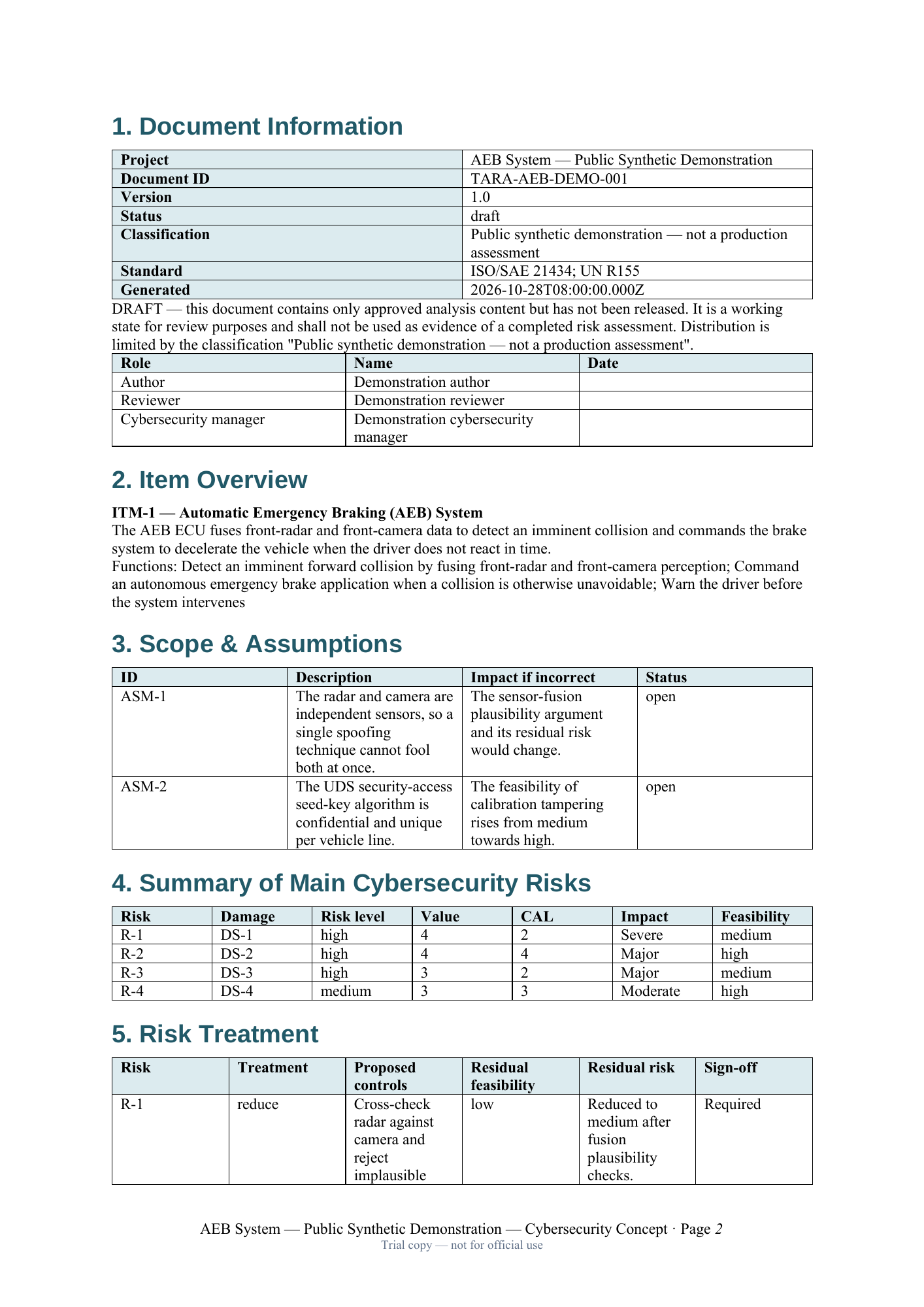 Read the sample report PDF ↗
Illustrative synthetic example · Studio 0.1.64 · draft/trial, not a production assessment. Pending analysis is excluded from formal reports. PDF is a rendered copy of the DOCX.
START AT YOUR SCALE
Studio is the starting point for individual engineers and small teams. Explore Hub when centralized projects and coordinated access become part of the requirement.
Own the analysis on your machine.
Coordinate work across the team.
You do not need Hub to start with Studio. We’ll agree the edition, evaluation scope and commercial terms with you.
BY CYVEHX
TARAexl is a product of CYVEHX Ltd. Our approach brings structured analysis, traceability and review into the same working environment.
We’ll walk through the product with you, clarify its current scope and agree how to evaluate it against your needs.
Talk to the product teamStudio supports local desktop authoring. Optional public AI mode sends selected context to an external provider after consent.
AI output is draft content. Review it before applying it; engineering approval remains your responsibility.
Using TARAexl does not, by itself, establish compliance or certification. Your process and evidence still need appropriate review.
Studio is designed for individual engineers and small teams. You can evaluate the desktop workflow without introducing a shared Hub server.
No. AI is optional assistance. The engineering analysis and your review remain the core workflow. We’ll explain available AI modes and provider costs when defining your evaluation.
Request a demo and tell us your team size and use case. We’ll discuss edition, deployment, evaluation and commercial terms before you commit.
Start with a description that contains no confidential data. We’ll agree the evaluation environment and data boundaries before you share project information.
YOUR NEXT STEP
Request a product walkthrough or a demo version to try. Tell us what you build and what you need; we’ll contact you to agree access and evaluation scope.
Follow the analysis and review a real output.
Team size, desktop or shared use, and AI preferences.
Arrange access to a demo version and agree the evaluation scope.
Please keep this first message free of confidential project data.